
Using Webhooks with FrontSpin
Webhooks allow you to receive real-time updates from FrontSpin when specific events occur. Once configured, FrontSpin will send a notification to your webhook URL every time a chosen trigger fires.
📡 How Webhooks Work
After setting up a webhook with its URL and a specific trigger:
- FrontSpin sends a notification when the trigger event occurs.
- Your server must respond with a 2XX HTTP status code to confirm receipt.
- If no response is received within 10 minutes, the attempt is marked as a timeout.
Each webhook includes an x-frontspin-signature header, which contains an HMAC-SHA256 signature generated using your webhook_secret and the payload body.
✅ Tip: Always respond quickly with a 2XX response to avoid retries.
🔁 Retry Logic
If a webhook fails (no 2XX response or timeout):
- FrontSpin retries up to 4 times.
- Retries occur at random intervals between 1 and 5 minutes.
- After 4 failed attempts, the notification is marked as failed.
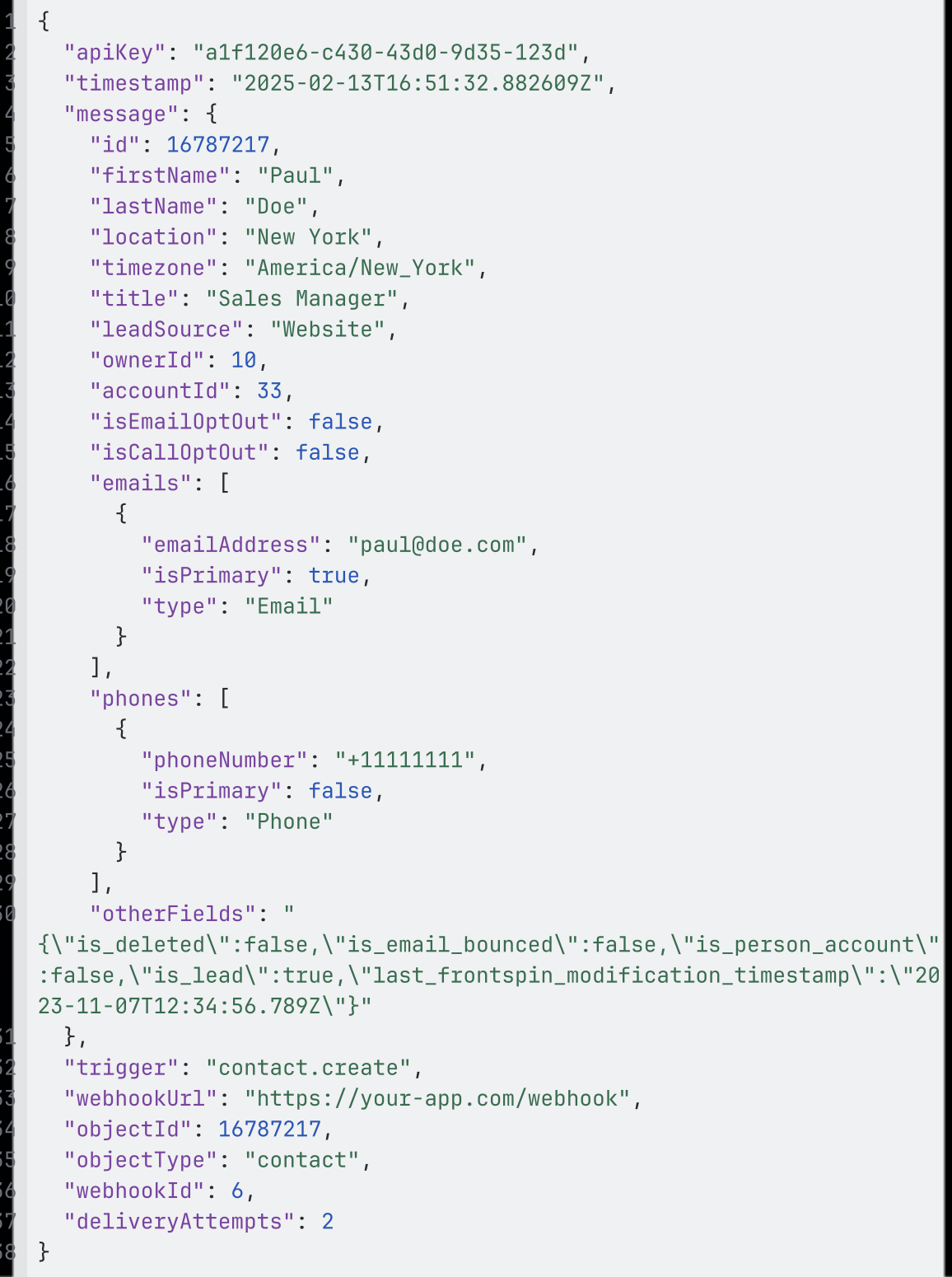
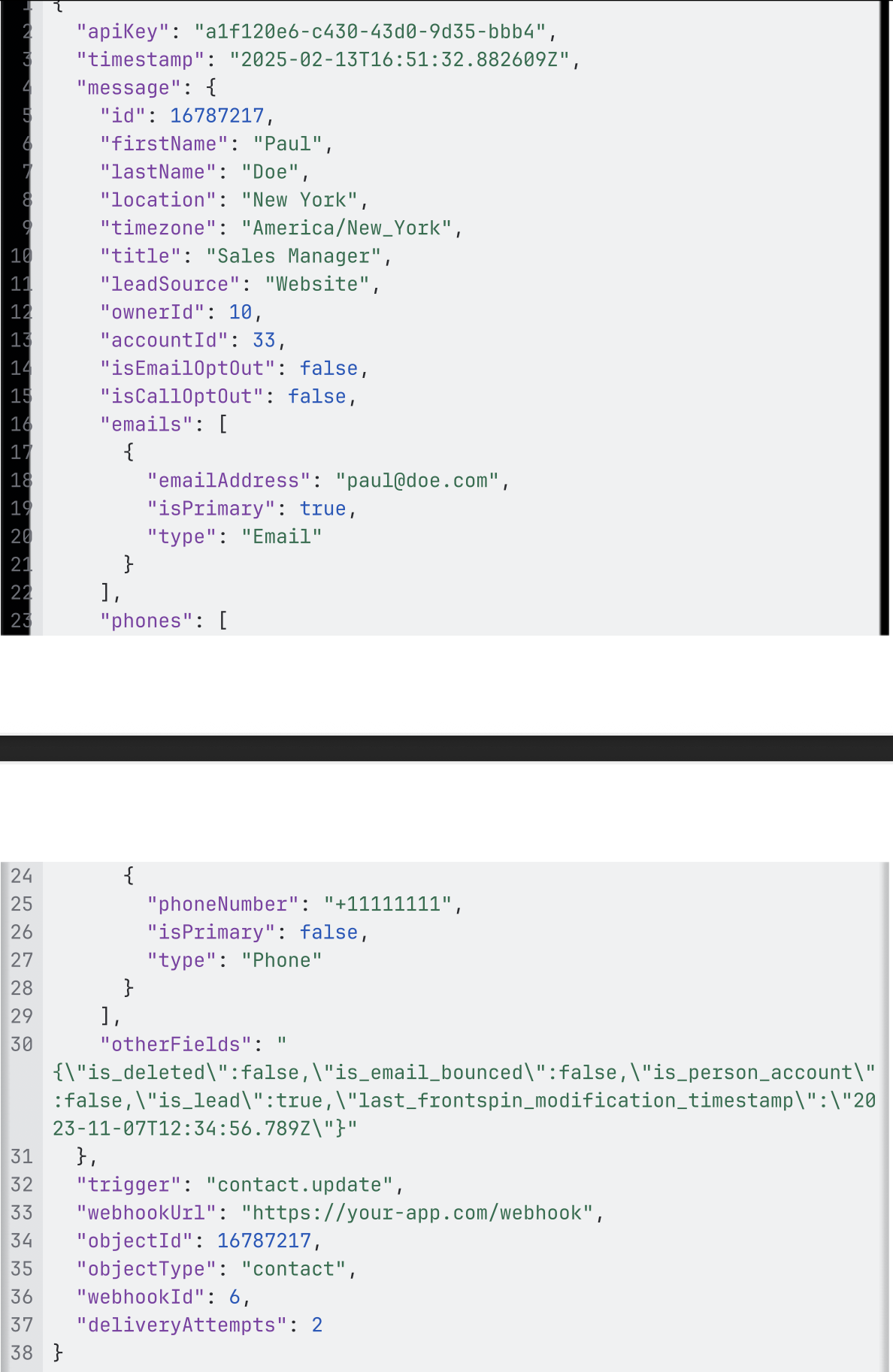
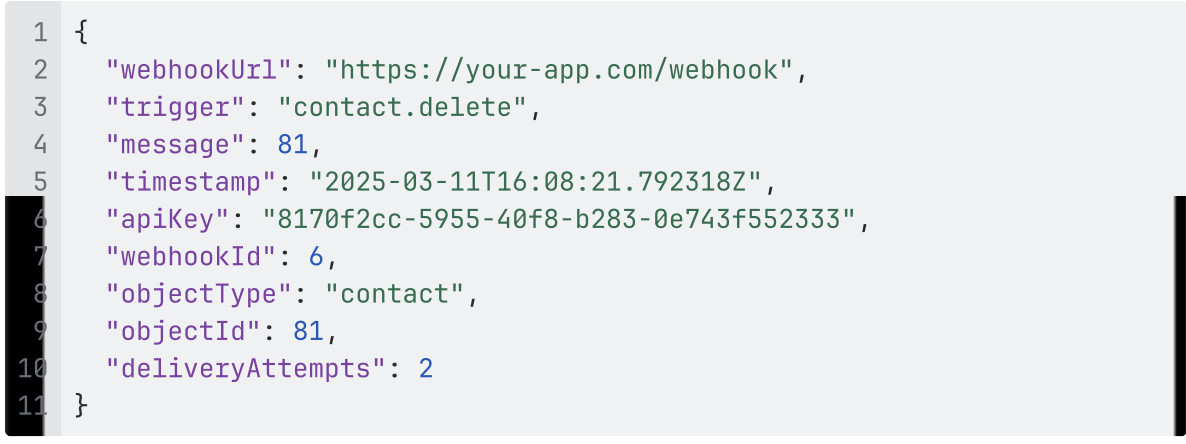
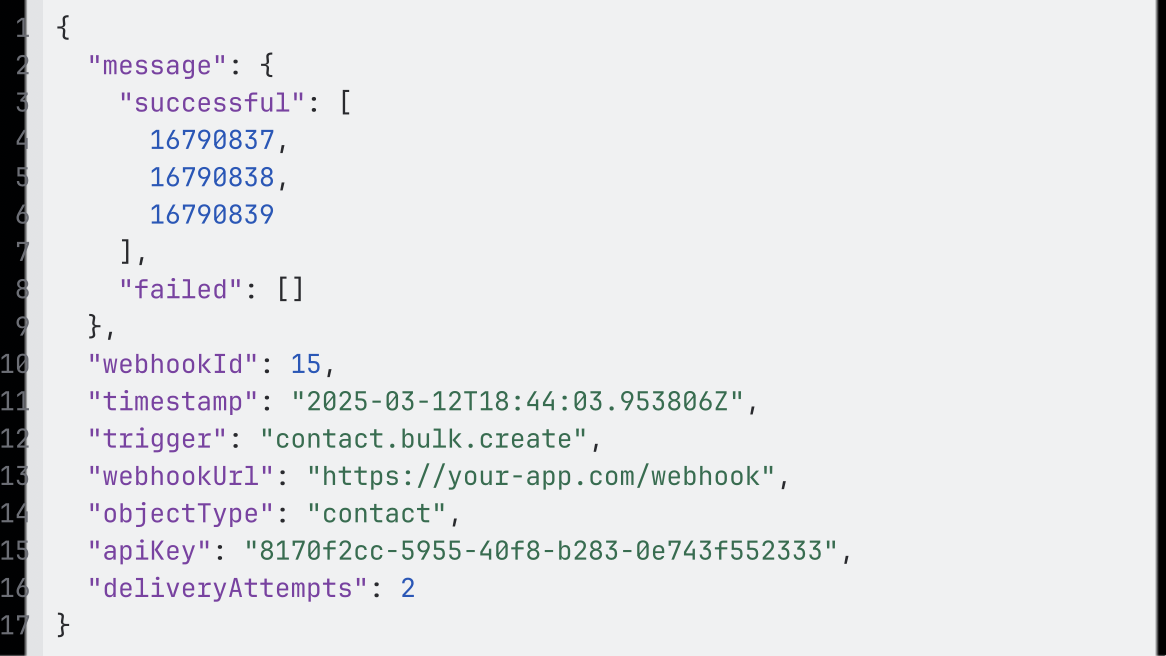
The number of attempts is shown in the payload under the deliveryAttempts property.
⚡ Supported Triggers
| Object | Events |
|---|---|
| Contact | contact.create, contact.update, contact.delete, contact.bulk.create, contact.bulk.update |
| Lead | lead.create, lead.update, lead.delete, lead.bulk.create, lead.bulk.update |
| Account | account.create, account.update |
| Call | call.create, call.update |
| List | list.lead.bulk.update, list.contact.bulk.update |
Call Fields
🧰 Example Payloads
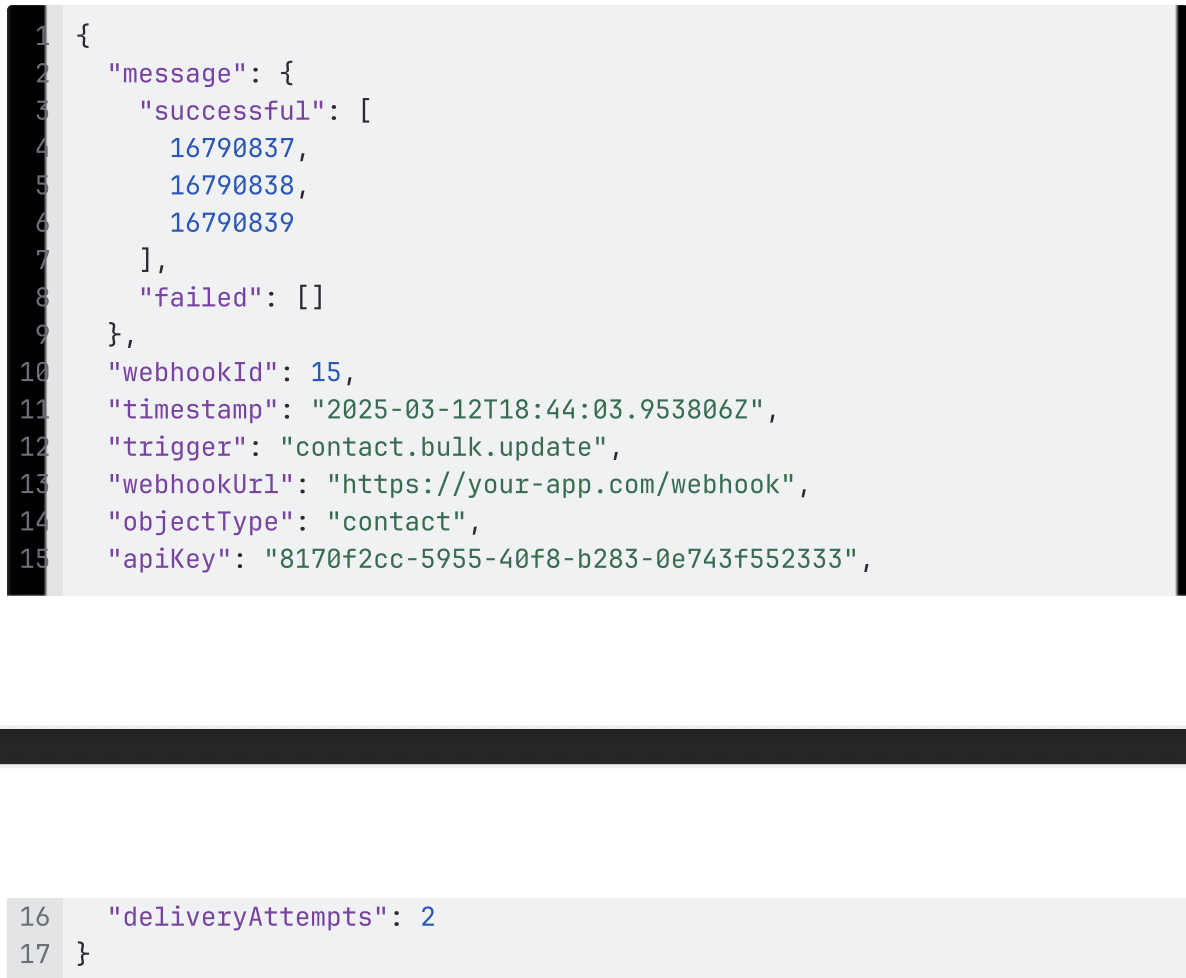
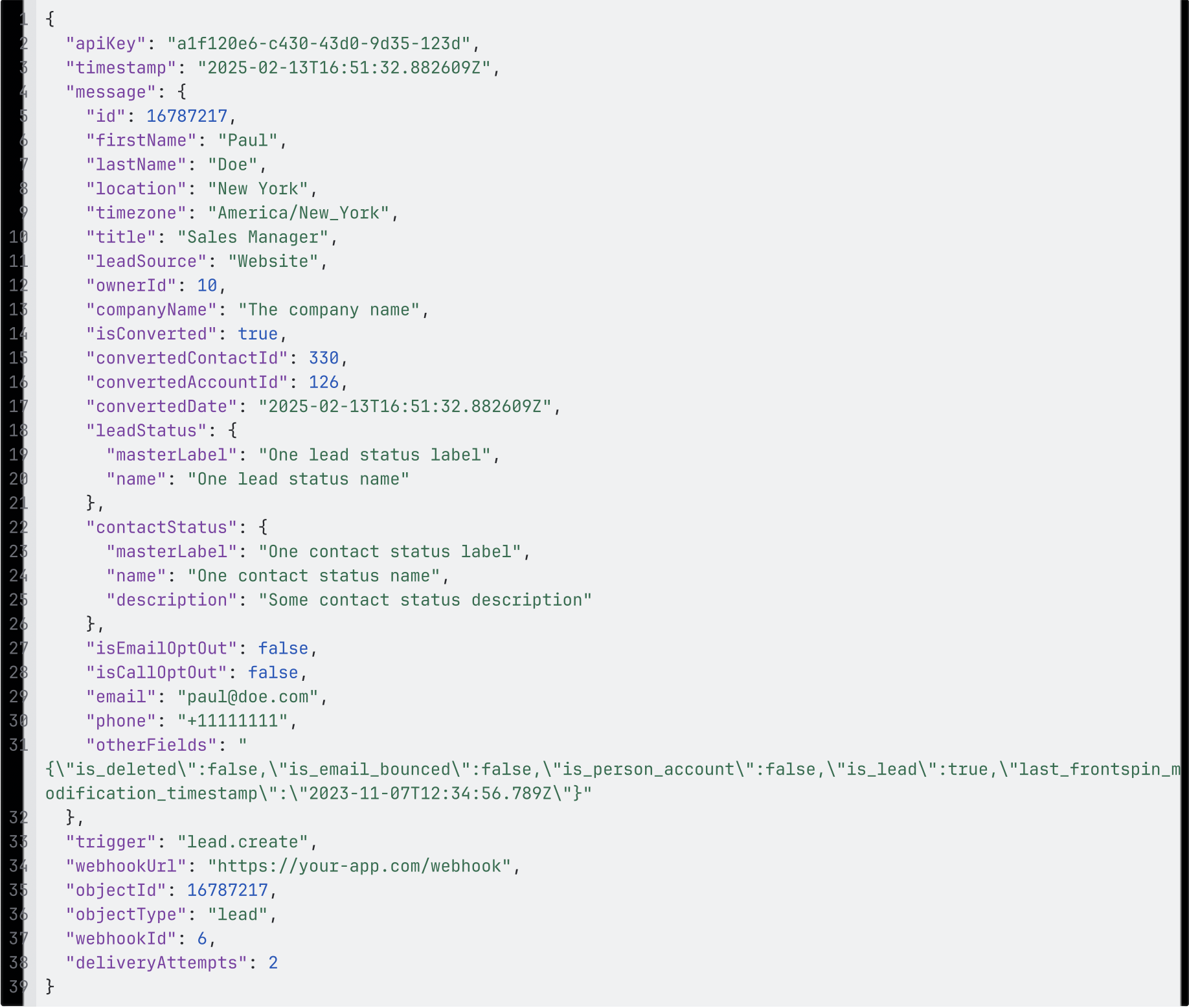
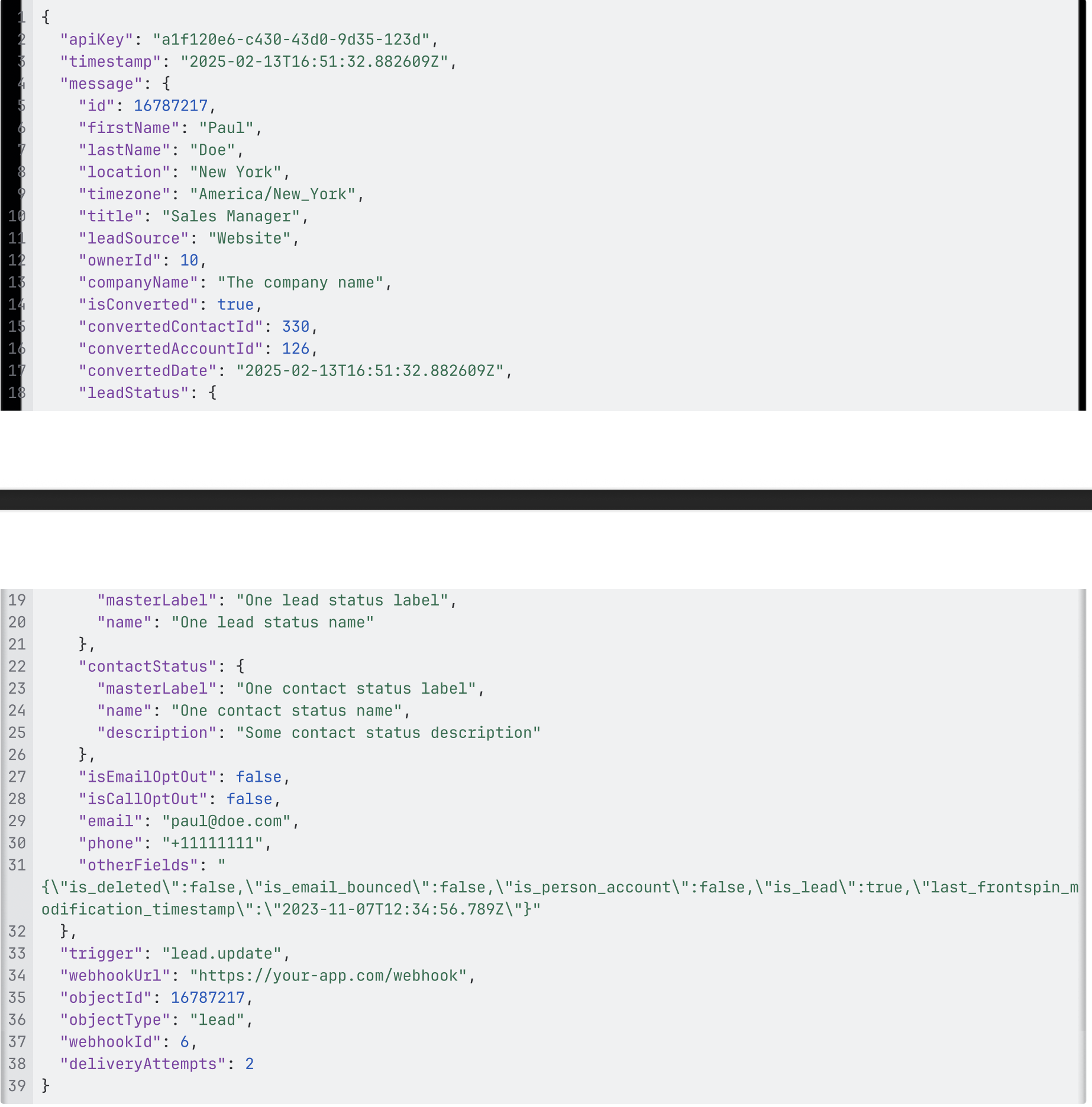
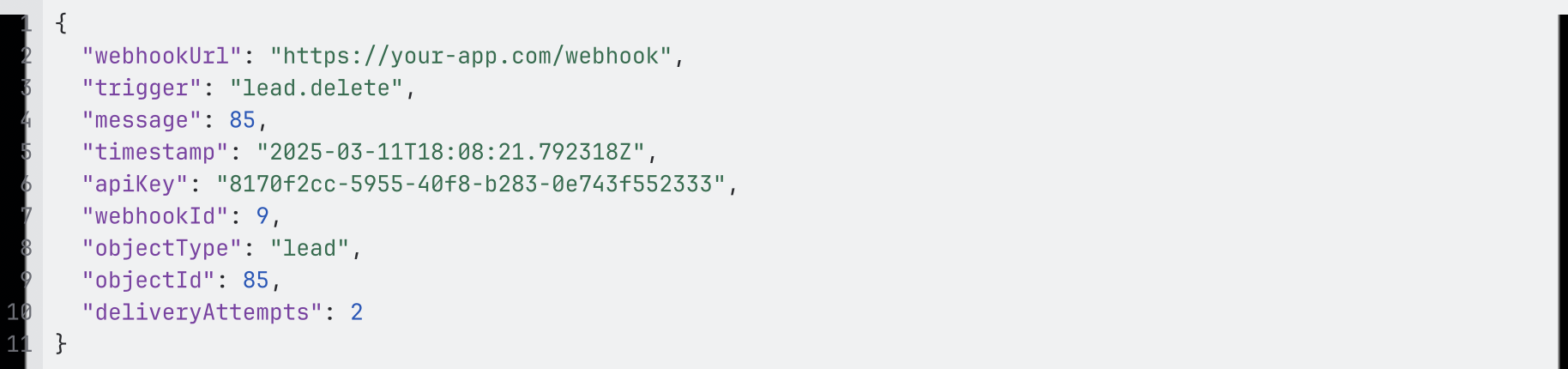
Below are sample webhook payloads you can expect to receive for different triggers.
Contacts
- Single Create
- Single Update
- Single Delete
- Bulk Create
- Bulk Update
 Leads
Leads - Single create
- Single Update
- Single Delete
- Bulk Create
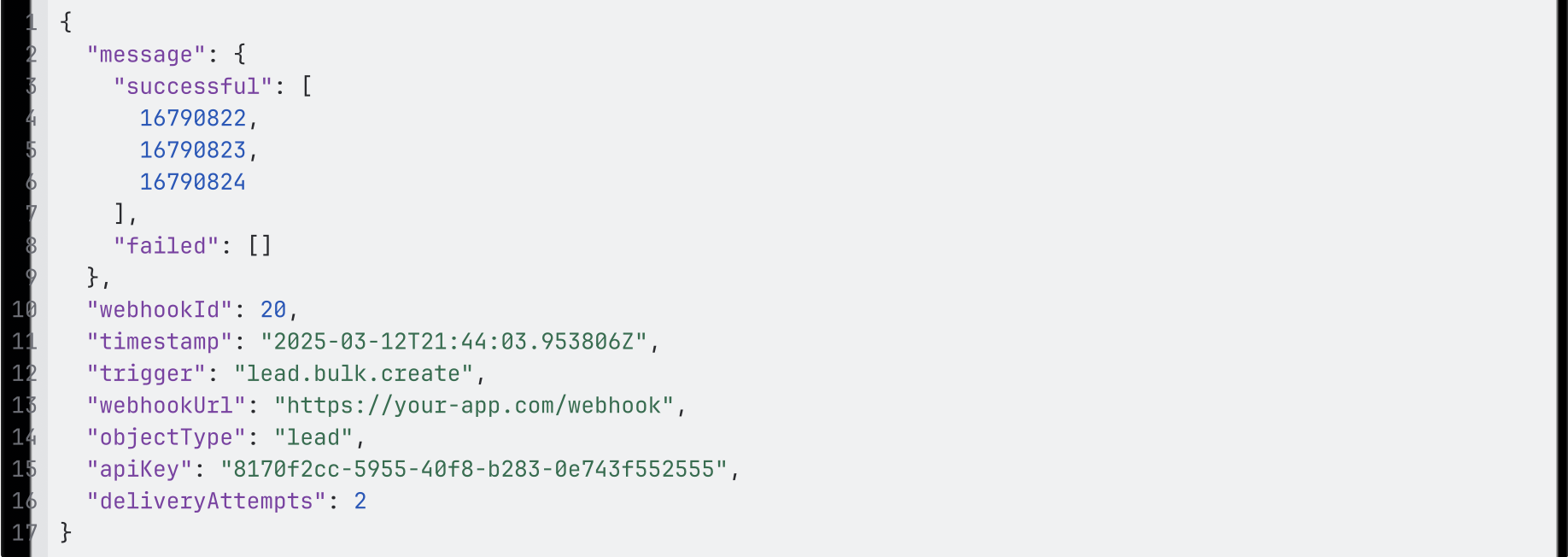
- Bulk Update
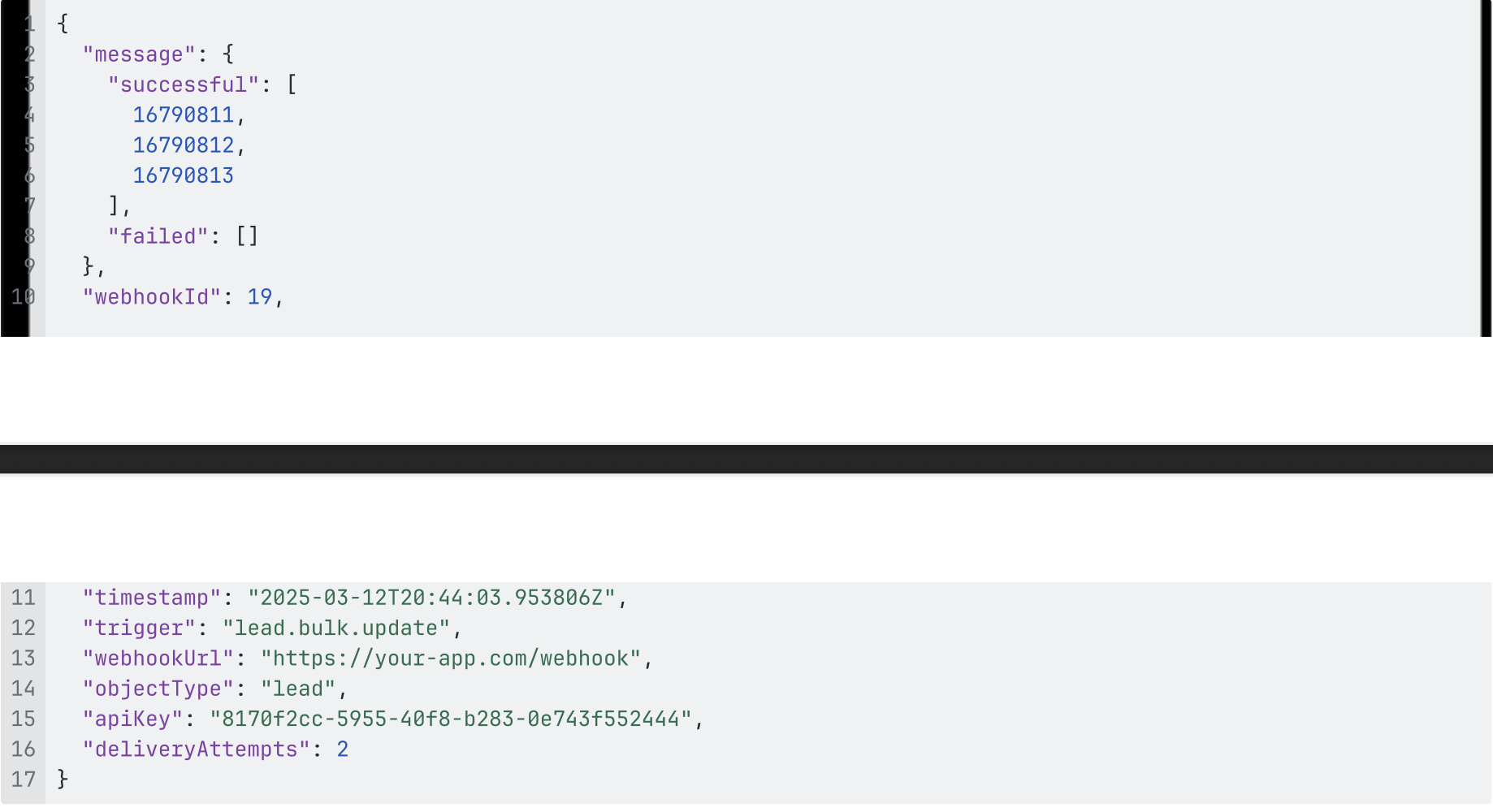
 Leads
Leads
Account
- Single create
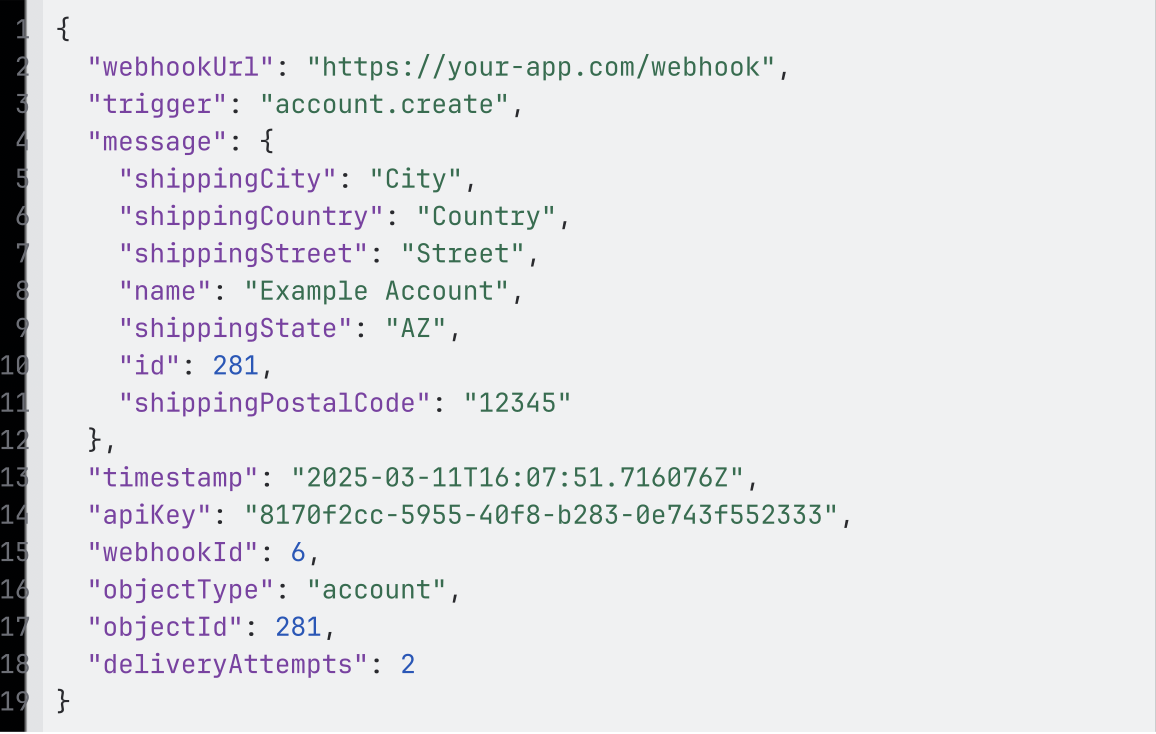
- Single Update
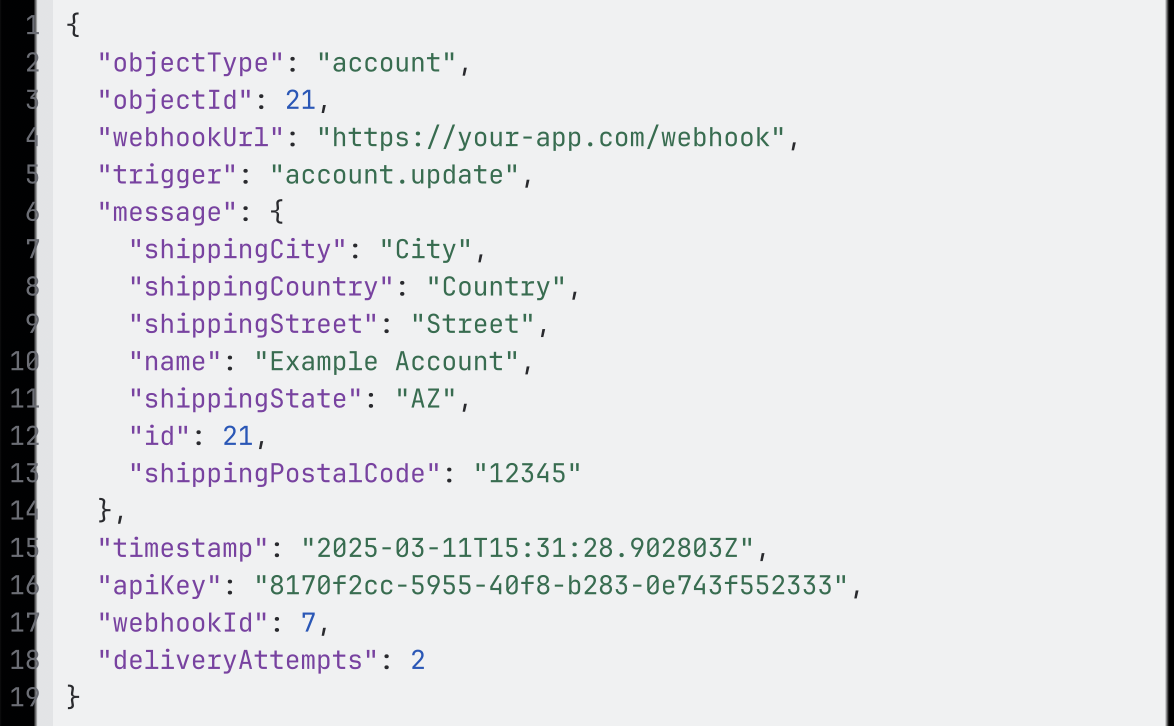
Call
When parsing the call.create message, it may, depending on timing, include call.update fields. In this case, won’t receive a separate call.update notification because that message content was already notified.
| Parameter Type Details Description
|
|||
| id string Required The ID of the call
|
|||
|
|
|||